
How to Add and Edit Categories in Chat's Page
Organizing documents into categories helps streamline the management process and ensures quick accessibility. Here's how to add and edit categories within the document manager.
Adding a New Category
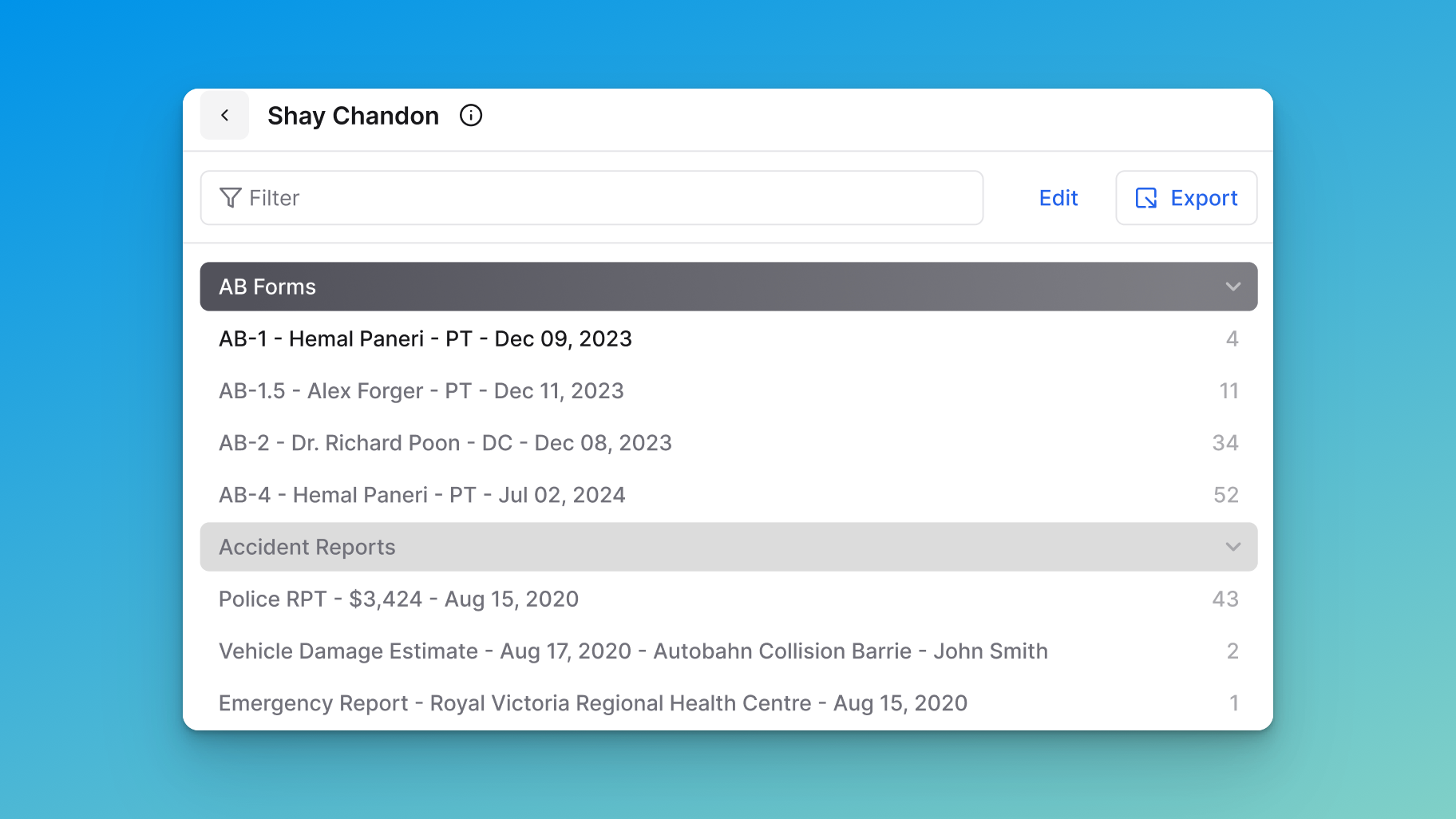
Step 1: Enter Edit Mode
Click on the Edit button located at the top of the document list.
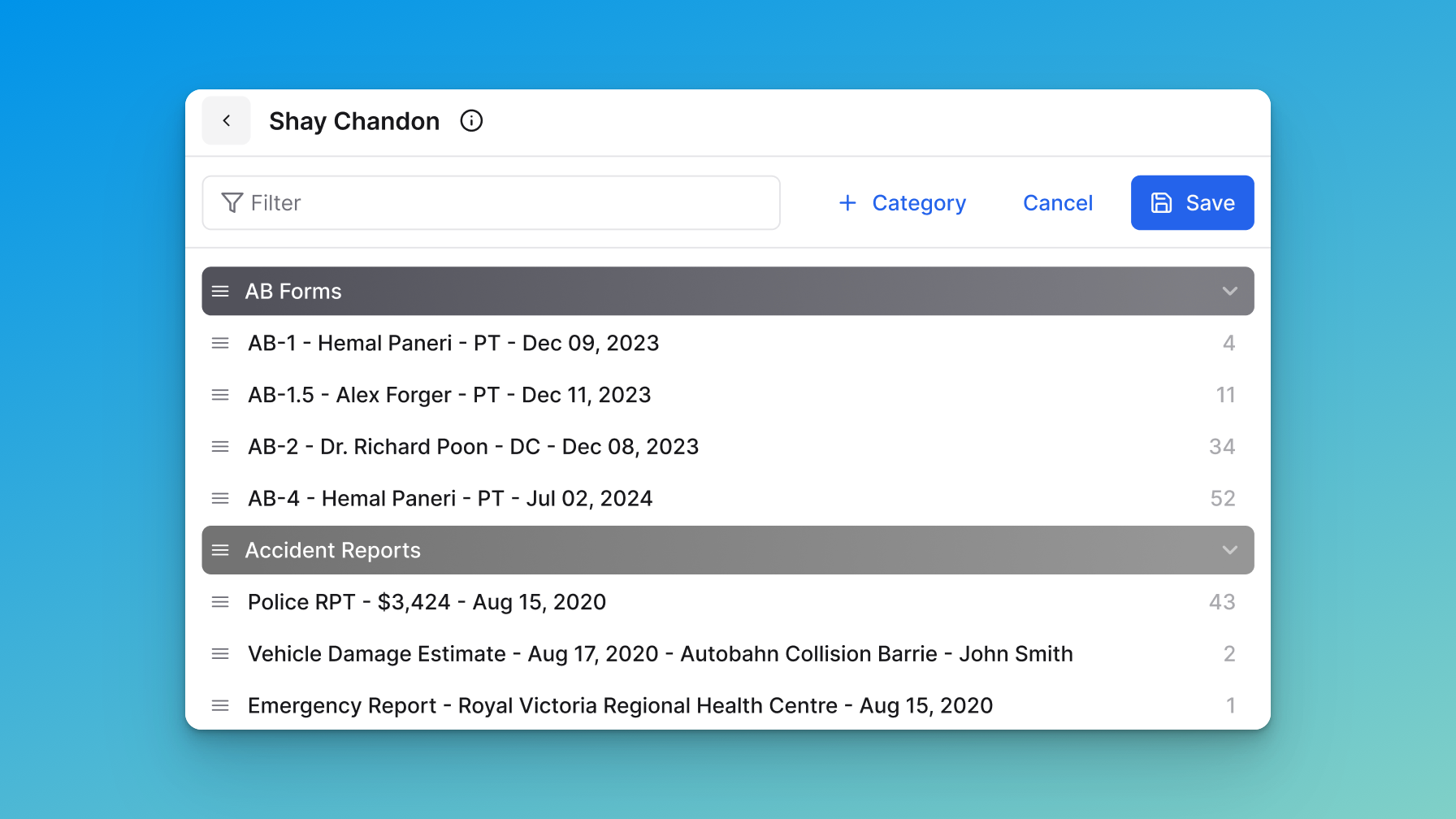
Step 2: Add Category
Click the + Category button at the top of the document list.
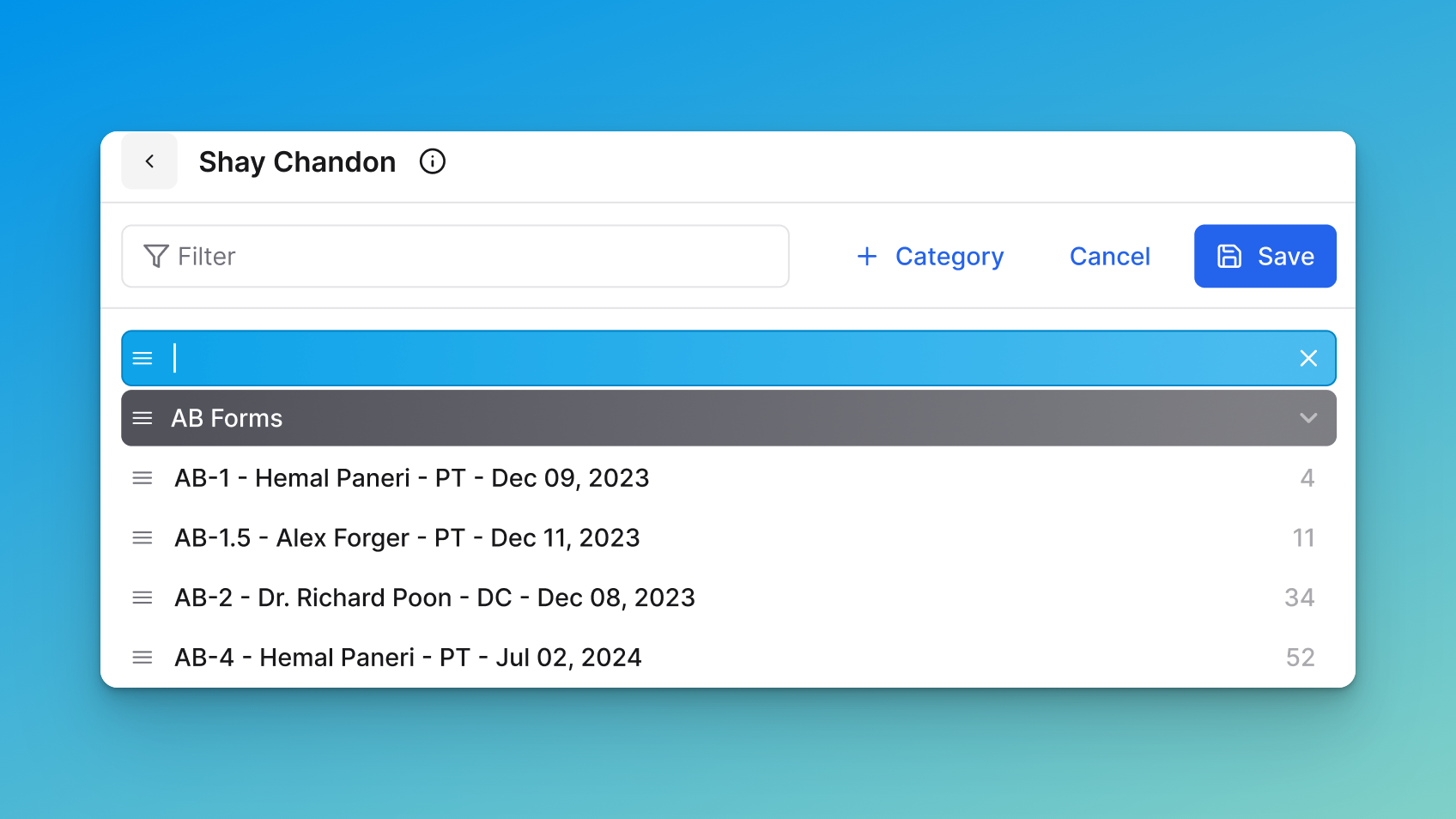
Step 3: Create the Category
Enter a name for your new category.
Step 4: Save Changes
Click Save to apply your changes.
Editing an Existing Category
Step 1: Enter Edit Mode
Click on the Edit button located at the top of the document list.
Step 2: Select a Category to Edit
Hover over the category name you wish to edit. Click on the category name and update it.
Step 3: Save Changes
Click Save to apply your changes.